

I would start a web design toolkit with five jobs: design and prototyping, content management, code editing, browser debugging and performance testing. For my team that means Figma, WordPress, a code editor and browser tools. Choose by the work and the handover requirements, rather than the length of a “best tools” list.
The short answer
- Figma is my starting point for collaborative layouts; Penpot is an open source option to assess if self-hosting or design-file control matters.
- Open source tools such as WordPress, VS Code’s open source core, GIMP, Inkscape, Krita and FileZilla still cover most of a designer’s work at no licence cost.
- Adobe Muse, InVision and Firebug are gone, and Adobe XD no longer gets new features, so any tool list that still recommends them is out of date.
- Judge a tool by the working site it helps you deliver: usable journeys, accessible content, maintainability and performance. Tool choice alone does not earn search rankings or AI citations.
What web design tools do you actually need in 2026?
A working web design toolkit in 2026 covers five jobs: designing and prototyping screens, managing content, writing code, inspecting pages in the browser and testing speed. One good tool per job is enough. Most teams that struggle have too many overlapping tools rather than a missing one, so start by mapping each job to a single tool.
I have built websites since 2005. The toolkit has changed many times, but the jobs have not. This is how I map them today.
| Job | Tool I would start with | Cost model | Good alternative |
|---|---|---|---|
| Design and prototyping | Figma | Free plan, paid team plans | Penpot (open source), Sketch (Mac only) |
| Content management | WordPress with the block editor | Free and open source (GPL) | Webflow, Wagtail |
| Code editing | VS Code | Free | Sublime Text (paid), Notepad++ (free, Windows) |
| Inspecting and debugging | Chrome DevTools | Free, built into the browser | Firefox DevTools |
| Speed and quality testing | PageSpeed Insights and Lighthouse | Free | WebPageTest, GTmetrix |
| Images and graphics | Adobe Photoshop and Illustrator | Paid subscription | GIMP, Inkscape, Krita (all open source) |
| Fonts | Google Fonts | Free, openly licensed fonts | Adobe Fonts (with Creative Cloud) |
| Behaviour analytics | Microsoft Clarity | Free | Hotjar (free and paid plans) |
For a longer list of browser add-ons, see my roundup of Chrome extensions for web designers and developers. For speed testers specifically, I keep a separate list of free tools for testing website speed.
How does my team design and build a website?
The web design process I use is simple: design in Figma, get approval on the design, then build in WordPress. Figma holds the layouts, components and comments in one shared file. WordPress holds the content and the build. Keeping those two stages separate stops expensive changes from happening halfway through development.
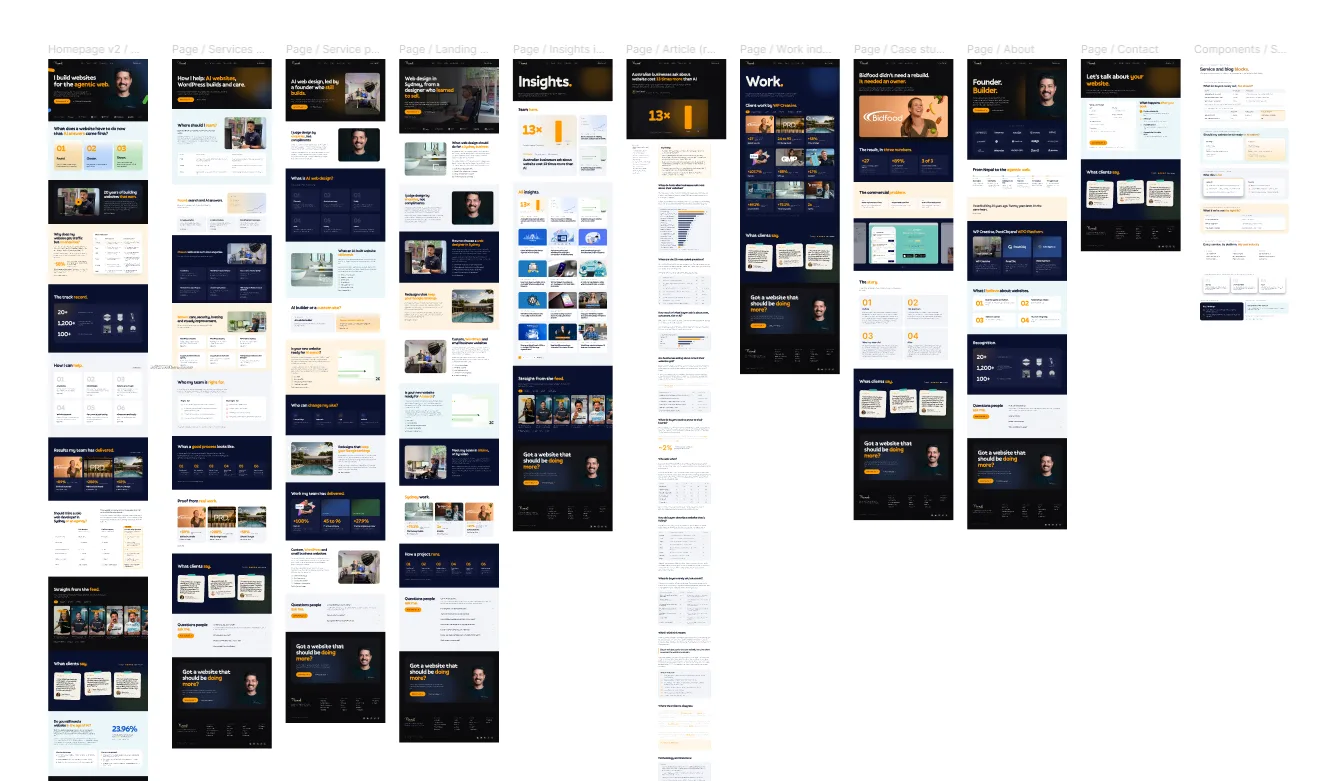
At WP Creative, the company I founded in 2016, Figma is our design tool and WordPress is our core platform. Here is the sequence.
- Brief and baseline. Agree what the site must achieve and record current traffic, rankings and conversions before changing anything.
- Wireframes and design in Figma. Page structure first, then visual design, built from shared components so buttons and headings stay consistent.
- Approval. Stakeholders comment directly on the Figma file. Nothing goes to build until the design is signed off.
- Build in WordPress. Templates and blocks are coded in a version-controlled theme, and content is edited in the WordPress block editor.
- Test. Use browser tools, Lighthouse and real devices before launch; check representative tasks and confirmed outcomes after launch. Add behaviour analytics only where useful and consistent with the site’s privacy arrangements.
The tool matters less than the handover between design and build. A beautiful Figma file that ignores how WordPress editors will update the page creates a site that decays within a year.
Which open source web design tools are still worth using?
Open source options include WordPress, Penpot, GIMP, Inkscape, Krita, FileZilla, WinSCP, Cyberduck, Notepad++ and CSS frameworks such as Bootstrap and Tailwind. Their core licences allow useful professional workflows, but hosting, cloud services, premium assets, maintenance and specialist support can still cost money. Open source also does not remove every dependency or migration cost.
| Open source tool | What it does | Platforms | Worth noting |
|---|---|---|---|
| WordPress | Content management system | A compatible PHP and database hosting environment | GPL licensed. Powers the sites my team builds. |
| Penpot | Design and prototyping | Browser, or self-hosted | The closest open source answer to Figma. |
| GIMP | Photo editing and image manipulation | Windows, macOS, Linux | A free alternative to Photoshop for most web image work. |
| Inkscape | Vector graphics (SVG) | Windows, macOS, Linux | Uses SVG natively, ideal for icons and logos on the web. |
| Krita | Digital painting and illustration | Windows, macOS, Linux | Built for illustrators rather than photo editing. |
| Notepad++ | Code editor | Windows | Lightweight, fast, syntax highlighting. |
| FileZilla | FTP and SFTP client | Windows, macOS, Linux | Use SFTP, not plain FTP. |
| WinSCP | SFTP and FTP client | Windows | Good scripting for repeat transfers. |
| Cyberduck | SFTP, FTP and cloud storage browser | macOS, Windows | Also connects to S3 and other cloud storage. |
| Bootstrap, Tailwind CSS | Front-end CSS frameworks | Any project | Both MIT licensed. Pick one, not both. |
| Wagtail | CMS built on Django (Python) | Hosting supporting the required Python, Django and database stack | A strong choice when the team already works in Python. |
VS Code deserves a note. The editor most developers download is a free Microsoft build, but it is based on the open source Code-OSS project, so it sits close to this list. Two tools from older open source lists I would drop: KompoZer, which has not been maintained for years, and Firebug, which was folded into Firefox’s built-in developer tools.
Which older web design tools should you stop using?
For a new project, check release and support status before adopting an older tool. Adobe Muse support ended in 2020, Firebug was retired as a separate add-on and Adobe XD is in maintenance mode. A legacy file may still open, but collaboration, integrations and security support can become the problem. Inventory the files and exports you need before migrating.
| Tool | Status in 2026 | Use instead |
|---|---|---|
| Adobe Muse | Discontinued. Adobe stopped development in 2018 and ended support in 2020. | WordPress, Webflow |
| InVision | Shut down at the end of 2024. | Figma, Penpot |
| Adobe XD | Adobe currently lists XD in maintenance mode; do not assume ongoing new feature development. | Figma, Penpot |
| Macaw | Legacy tool; I would not start a new production workflow around it. Check existing file/export needs before replacing it. | Figma, Webflow |
| Firebug | Discontinued in 2017. Its features live in Firefox DevTools. | Firefox or Chrome DevTools |
| Adobe Dreamweaver | Still sold, but rarely the right choice for a modern CMS build. | VS Code plus a CMS |
Some advice from older lists holds up well. When I asked 13 designers and developers for their three favourite tools in 2016, Jake Jauhari said he looked at a random range of sites on Awwwards before a project, rather than sites in the client’s own industry, to get fresh ideas. That still works. Nikki Phillis said Advanced Custom Fields Pro sped up her WordPress builds because she no longer coded custom fields by hand. ACF Pro remains useful when a project needs structured custom fields. Kyle Stewart preferred designing from scratch and developing a custom WordPress theme over buying a template. That is still how we work.
Where do AI tools fit in web design?
AI tools fit into web design as assistants for drafting, coding and testing, not as replacements for design judgement. They speed up first drafts of layouts, copy, code and test plans. They still need a person who understands the brand, the buyer and the build to decide what ships. Treat AI output as a draft to review.
I test agents and AI workflows every day, from WP Creative’s internal tools to client delivery. Claude Code helps with production inside a written brief, a project structure and review gates. It does not choose the buyer, the brand or the design direction. Those decisions stay with people. The AI-only design tools, and what 12 marketers think of them, are in my separate guide to AI tools for web design.
Google’s agent-friendly website guidance describes agents combining screenshots, HTML and accessibility information. Native buttons, meaningful labels and stable layouts help make tasks clear. Evaluate the output with keyboard and screen-reader checks and a named agent task in the agreed browser/account; neither semantic HTML nor a tool badge guarantees task completion.
How do you choose web design tools for a business website?
Choose web design tools for a business website by asking who will edit it after launch, what it must connect to and how results will be measured. The right tools make the live website fast, accessible and easy to update. A tool that only speeds up the designer while making the site harder to run is the wrong choice.
- Who edits it? If your marketing team updates pages weekly, the CMS editor matters more than the design tool.
- What does it output? Inspect the important journeys, semantics, scripts and performance. Markup depth alone is not an accessibility or speed verdict.
- Is it maintained? Look for recent releases and a clear owner. Every tool in my “stop using” table was popular once.
- Can you leave? Prefer tools that export open formats (SVG, HTML, standard image files) so you are not locked in.
- Can you evaluate it? Plan appropriate analytics, confirmed outcomes, usability tests or customer feedback. You can improve a site without recording every visitor.
Too many tools slow a team down more than a missing one. When my team started work with Flare HR, the website’s backend carried outdated themes, redundant plugins and more than one page builder. Pages loaded slowly, updates were hard, and marketing campaigns waited on the website. Over the first four months we removed the extras gradually and moved to one streamlined theme with custom modules the marketers could use themselves, with no big-bang relaunch. The Flare HR case study has the detail. One tool per job is not tidiness for its own sake. It is what lets the people who run the site keep moving.
What to do next
- List the tools your team uses today against the five jobs above, and remove the overlaps.
- Check every tool against the “stop using” table, and plan a move off anything discontinued.
- Run your home page through PageSpeed Insights to see what your current toolchain actually delivers.
- Set a rule that designs are approved before build starts, whatever design tool you use.
- If you want a second opinion on your design and build process, book a free call with me and my team.
Frequently asked questions
What is the best web design tool for beginners?
The best web design tool for beginners is Figma’s free plan for learning layout and design, paired with WordPress for building a real site. Both are widely used, so tutorials and community help are easy to find. Beginners should learn one design tool and one CMS well before adding anything else, because switching tools early slows learning more than any tool limitation does. My list of web design courses covers where to learn both.
Is there a free alternative to Figma?
Penpot is a free and open source option for design, prototyping and shared components, with self-hosting available. Figma also offers a free plan with limits. Check your file, collaboration, font and hosting requirements before deciding; “free” and “open source” describe different things.
Do web designers still use Photoshop?
Web designers still use Photoshop for editing and preparing images, but rarely for designing full web page layouts. Layout and prototyping moved to Figma and similar tools, which handle components, responsive frames and team comments far better. For image work without a subscription, GIMP covers most of what a web project needs, and Inkscape handles vector graphics.
Is Adobe XD discontinued?
Adobe currently labels XD as being in maintenance mode. That is different from saying every existing XD file is unusable or that a final support date has been announced. For a new workflow I would assess an actively developed alternative and test exports before moving an existing team.
Can AI design a website for me?
AI can produce website layouts, copy and code drafts quickly, but it cannot judge whether the result fits your buyers, your brand and your sales process. Use AI to speed up first drafts and testing. Keep a person responsible for design decisions, approvals and the final build.