
Before fixing Sunwater’s website, we fixed how changes reached it
Sunwater is one of Queensland’s largest bulk water suppliers. A government-owned corporation operating 19 dams and nearly 2,000 kilometres of pipeline, supplying towns, farms, mines and power stations.
Its website is not a shopfront. Communities check it for dam levels, spill notices and safety alerts, and they check it hardest when the weather turns.
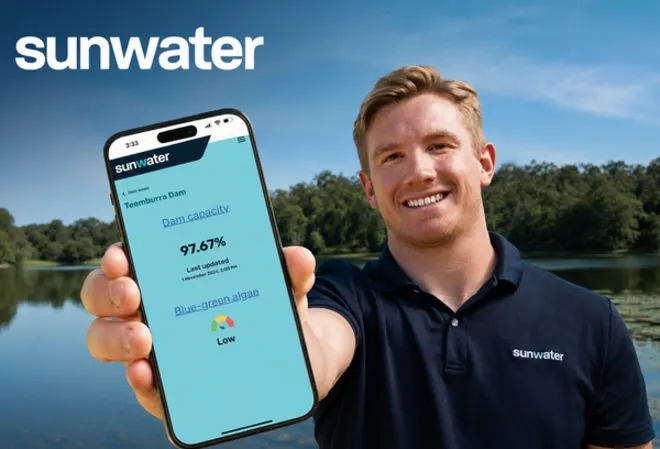
The result
- A visible route to production. The published case describes a tracked request process, review and coordinated deployments.
- Public-information pages rebuilt. Mobile, readability and navigation work focused on the sections people use to find important information.
The commercial problem
Sunwater’s problem looked like a list of bugs. It wasn’t.
Work was being completed in the test environment and then not reliably reaching production. Important fixes stayed unresolved on the live site. The communications team had limited visibility over requests once they were raised.
Underneath that, a UX and UI audit found contrast and readability issues on the home page and About section, and mobile problems across the header, footer and key pages. For a site people use in an emergency, on a phone, in bad weather, that matters.
And all of it sat inside a tightly controlled enterprise environment: strict access, approval-based deployments, close coordination with internal technical teams.
The call we made
1. Fix the route to production before fixing the site. Fixing bugs faster would not have helped if fixes still did not ship. The first month went on onboarding and mapping how anything was supposed to reach production: workflows, access, approvals. Every previously reported issue was verified rather than assumed closed. One tracked request process gave the communications team a single point of contact and a monthly delivery cycle they could see.
2. Work inside their controls, not around them. Most suppliers ask enterprise IT for exceptions. We adapted our workflow to Sunwater’s existing security, governance and approval requirements. Every change went through documented review and approval, and production deployments were coordinated with their technical team.
3. Measure, then rebuild the right things. A backend audit and a full UX and UI audit produced 22 findings, ranked into a remediation backlog. The audit also showed that patching contrast issues one by one would not fix accessibility. That was the evidence for rebuilding whole sections instead.
“Enterprise buyers aren’t only buying code. They’re buying a process their governance can live with.”
Nirmal
What changed
| Before | After | |
|---|---|---|
| Fixes reaching the live site | Not reliably | Every change through review, approval and coordinated release |
| Visibility for the comms team | Limited once a request was raised | One tracked process, monthly delivery cycle |
| Mobile experience | Problems in header, footer, home and About | Navigation, footer, home, news and the full About section rebuilt for mobile |
| Accessibility | Contrast and readability issues | Stronger contrast and clearer treatment for important alerts and content |
The news section was rebuilt with filtering and tagging. Along the way the team cleared legacy URL handling in search, redundant CSS and code snippets, an obsolete live chat integration, broken links and several rounds of redirects. The published engagement also included monthly maintenance and vulnerability patching; this is not a current system-health attestation.
The test no staging environment can run
The published delivery account describes the site remaining a public reference point during a demanding wet-season period. It does not identify the year or provide traffic, incident or uptime records for that event.
The useful design question is still concrete: can someone on a phone find the storage level, alert and next action quickly? That is a reason to prioritise readable content and clear navigation, rather than a claim that the website is guaranteed to remain available in an emergency.
What I learned
1. A delivery problem dressed as a bug list. When fixes are not landing, look at the pipeline before the code.
2. Repeated accessibility faults can be a template problem. Compare a shared component or section-level repair with isolated fixes before choosing the scope.
3. Plan for the worst day. For public information sites, the measure of the website is how it behaves when demand spikes and people are anxious.
Work with me
Working inside government or enterprise controls and need a partner who will not ask for exceptions? Let’s talk. This is how my team approaches government website design, WordPress development and ongoing support and maintenance.