

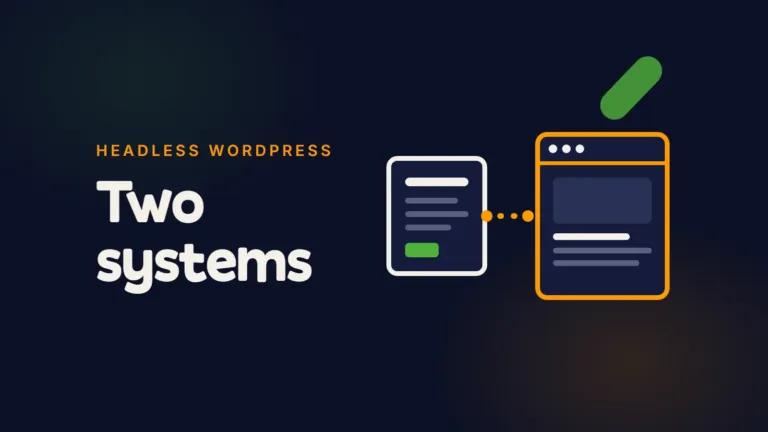
Headless WordPress means you keep WordPress as the place where content is written and stored, but a separate application builds the pages your visitors see. WordPress hands the content over through its API. The website itself is no longer WordPress. For most marketing teams that is a bad trade: you get a faster, more locked-down front end, and you pay for it with two systems to run, a developer in every layout change and a long list of things WordPress used to do for free.
I get asked about it more since AI made building a custom front end cheap. The build got cheaper. Owning it did not.
The short version
- Headless WordPress is WordPress used only as a content back end, with a separate front end (often React, Next.js or Astro) building the pages.
- It works when the same content feeds several places, or when a technical team wants full control of the front end and will stay to look after it.
- It hurts when a marketing team needs to launch pages on its own, use the plugins it already relies on, and fix things mid-campaign.
- It does not make you rank. Search engines and AI assistants need fast, readable, server-rendered pages. A normal WordPress build can do that too.
- My verdict: if one marketing team runs one website, build WordPress cleanly and keep it whole. Go headless only for a reason you can write down.
What is headless WordPress, in plain English?
Headless WordPress is a setup where WordPress stores and manages the content, and a different application turns that content into web pages. The “head” is the front end, the part visitors see. Take it off, and WordPress becomes a content database with a familiar editor.
The two halves talk through an API. WordPress has shipped a built-in one since version 4.7 in December 2016, with endpoints for posts, pages, users and settings. Many headless builds use GraphQL instead, through the WPGraphQL plugin, which its creator announced in October 2024 was becoming a canonical community plugin on WordPress.org.
So the editor still looks like WordPress. Everything after the publish button is different.
How is it different from a normal WordPress site?
In a normal WordPress site, the editor and the website are one system. Your theme builds the pages, your plugins add forms, SEO tags, redirects and caching, and a publish shows up straight away.
In a headless site, they are two systems. Here is what that changes for the people who use it every week.
| The job | Normal WordPress | Headless WordPress |
|---|---|---|
| Change a headline | Editor, live in seconds | Editor, then the front end rebuilds or refetches |
| Build a new landing page layout | Editor, from existing blocks | Developer, or AI, in the front end code |
| Add a form, popup or SEO plugin | Install and configure | Only if the plugin supports headless, or someone codes it |
| Preview a draft | Built in | Has to be built and maintained |
| Redirects, sitemap, meta tags | Handled by WordPress and its plugins | The front end has to handle them |
| Hosting | One host | Two: the WordPress back end and the front end |
| Who you call when it breaks | Anyone who knows WordPress | Whoever built the front end |
None of this is my opinion alone. WordPress.com’s own guide to headless lists the same costs: two codebases, lost theme features such as forms and comments, plugins that do not work headless, two hosting environments, and SEO, sitemaps and redirects moving to the front end.
What I learnt running a headless stack
The closest first-hand test I have is not WordPress. It is a ten-year-old lead generation site my marketing team runs every day, which I moved off WordPress to Sanity, a headless CMS, with an Astro front end. The shape is the same as headless WordPress: content in one system, pages built by another.
Three things stood out.
The real design work is the content model. Every kind of page had to become a content type before anyone could edit it. On a normal WordPress build, the theme and the block editor absorb most of that. Headless, it is a project of its own.
Editors can change words, not layouts. That is the selling point and the catch. It is very hard for my team to break the design, because the design is not in their hands. It also means every new kind of page goes back to a developer, or to AI with someone checking its work.
Publishing has more steps. A publish triggers a rebuild on a test address, and a page reaches the live site only when it is published and marked ready. When an edit “doesn’t show”, the first question is which of those two steps it is stuck in. My team needed a one-page guide to work in it. They have never needed one for WordPress.
It works well for that site. It works because I have a technical team behind it. Take that team away and the same setup becomes a liability.
Is headless WordPress better for SEO and AI search?
Not by itself. Search engines and AI assistants reward pages that load fast, render their content in the HTML and have clean structure. A headless front end can do that very well. So can a lean WordPress theme.
The risk runs the other way. A headless front end that builds the page in the visitor’s browser with JavaScript can show crawlers an empty page. Vercel and MERJ found in December 2024 that none of the major AI crawlers, including OpenAI’s GPTBot and Anthropic’s ClaudeBot, rendered JavaScript at the time. If your headless site depends on client-side rendering, ChatGPT and Claude may never read your content. Server-side rendering or static pages fix that. It is one more decision that a normal WordPress site makes for you.
And every SEO job the plugin used to do, from meta tags to redirects to the sitemap, now has to be rebuilt and kept working in the front end. A migration to headless is still a migration. Old addresses, redirects and tracking need a person to check them on launch day.
Before you rebuild anything for speed or rankings, find out what is actually slowing your buyers down. PostCliq is the free audit I built for that: it shows where visitors and AI agents get stuck on the site you already have.
When is headless WordPress worth it?
I would consider it when at least one of these is true, and someone can say which one out loud:
- The same content feeds several places. A website, an app, a kiosk or a partner portal all pulling the same articles or product data.
- The front end is a product, not a brochure. Heavy interactivity, logged-in features or an app experience that a theme would fight.
- You have a technical team that will stay. Not just for the build. For the dependencies, deployments and fixes every month after it.
- Security policy demands it. Some organisations want no public login or database on the website itself. Splitting the two can help, as long as the WordPress back end is still patched.
- You are keeping years of content and an editorial team that knows WordPress, but the front end must change completely.
If none of those apply, the honest answer is usually no.
When should you avoid it?
Avoid headless WordPress when your marketing team needs to launch landing pages without a developer, when you rely on WordPress plugins for forms, SEO, popups or tracking, or when nobody technical will own the front end after launch.
Watch for the reason given. “It’s faster” and “it’s more modern” are not reasons on their own. A clean WordPress build can be fast. Modern is not a business outcome. The question I ask instead: who will fix this on a Friday afternoon when a campaign is live and the form stops sending? If the answer is “the freelancer who built it”, that is your risk, not your stack.
One plugin is weight. A second application is a second set of weight, and you carry both.
What AI changed, and what it didn’t
AI makes a custom front end much cheaper to build. I built all four of my platform tests with Claude Code, including the headless one. That removes the old argument that headless is too expensive to start.
It does not remove the running cost. A headless site still has two codebases, two hosts, front end dependencies to update and a publishing flow to explain to every new marketer. AI can do much of that work. It cannot decide that it matters, and it does not notice that enquiries stopped arriving. An expert with AI still beats AI alone, on any architecture.
What to do next
- Write down who edits the site every week and what they need to do without help.
- List the plugins you rely on and check each one’s headless support before anyone quotes a build.
- Ask who owns the front end after launch, by name, and what it costs a month.
- Check whether your current site is actually the problem. Most slow WordPress sites are slow because of heavy themes and too many plugins, not because WordPress has a head. My guide to WordPress management covers the upkeep that keeps a normal build lean.
- If you are still choosing a platform, start with my guide to choosing the best CMS for your website.
Frequently asked questions
Can WordPress be used as a headless CMS?
Yes. WordPress has a built-in REST API, and many teams add WPGraphQL. Your editors keep the WordPress admin, and a separate front end fetches the content to build the pages.
What are the disadvantages of headless WordPress?
Two systems to host and maintain, plugins that stop working on the front end, page previews and SEO tags that have to be rebuilt, and a developer needed for every new layout. For a single marketing website, that usually costs more than it returns.
Is headless WordPress faster?
It can be, especially as static pages. But speed comes from how a site is built, not from the architecture alone. A lean WordPress theme with few plugins can also score very well.
A freelancer built us a custom headless site. Is that a problem for a small team?
It can be. Find out today who can update the front end code, where it is hosted, whose accounts it runs on and how a new page gets made. If only one person knows, your website depends on them. Ask for the code, the hosting and the logins in your business’s name, and a written guide to publishing.
Is WordPress outdated in 2026?
No. W3Techs reports that WordPress runs 38.5% of all websites, and 57.5% of sites with an identifiable CMS. What is outdated is the heavy way of building it, with dozens of plugins and a page builder nobody maintains.
Does going headless make my WordPress site more secure?
It can reduce what is exposed to the public, because visitors never touch WordPress. But the WordPress back end still needs updates and protection, and the front end adds its own dependencies to keep patched.
If you are weighing a rebuild
Start with the people who run the site, not the architecture. If your marketing team edits it every week, a clean, well-looked-after WordPress build is usually the right answer, and that is the kind of build my agency, WP Creative, does most. If you have a real reason for headless, plan the team who will own it before you plan the build.
If you want a second opinion on your setup, book a free call and tell me who edits your website and what is getting in their way.