
AI website security: keeping your site safe when agents arrive
The faster AI lets a team change a website, the more the controls matter.


















Why work with Nirmal Gyanwali on AI website security?
Your website can now meet AI crawlers reading it, agents filling its forms, AI features processing messages and tools that can change content. Each needs a clear boundary, an owner and a way to recover.
I’m Nirmal Gyanwali, Founder and CEO of WP Creative, and I built PostCliq. I build and test AI agents and workflows every day, on WP Creative’s WPO platform, our internal tools and client sites, and every agent gets the smallest set of permissions that does the job. My team applies the same rules to every client site, and WP Creative is working toward ISO 27001 certification. AI can write the page. It can’t sign off the risk.

What is AI website security?
AI website security is the work of keeping a website safe as AI crawlers, AI agents, AI features and AI-written code start touching it. It covers which bots you let in, what AI tools are allowed to do on your site, how AI features handle untrusted input, and how AI-written code is checked before it ships. It sits on top of normal WordPress security, not instead of it.
It is the security side of the third of the three jobs every website now has: be found, be chosen and grow. A site that keeps growing has to keep getting safer. On the agentic web, a site that agents can read and act on has to be a site that only does what you meant it to.
What changes when AI touches your website?
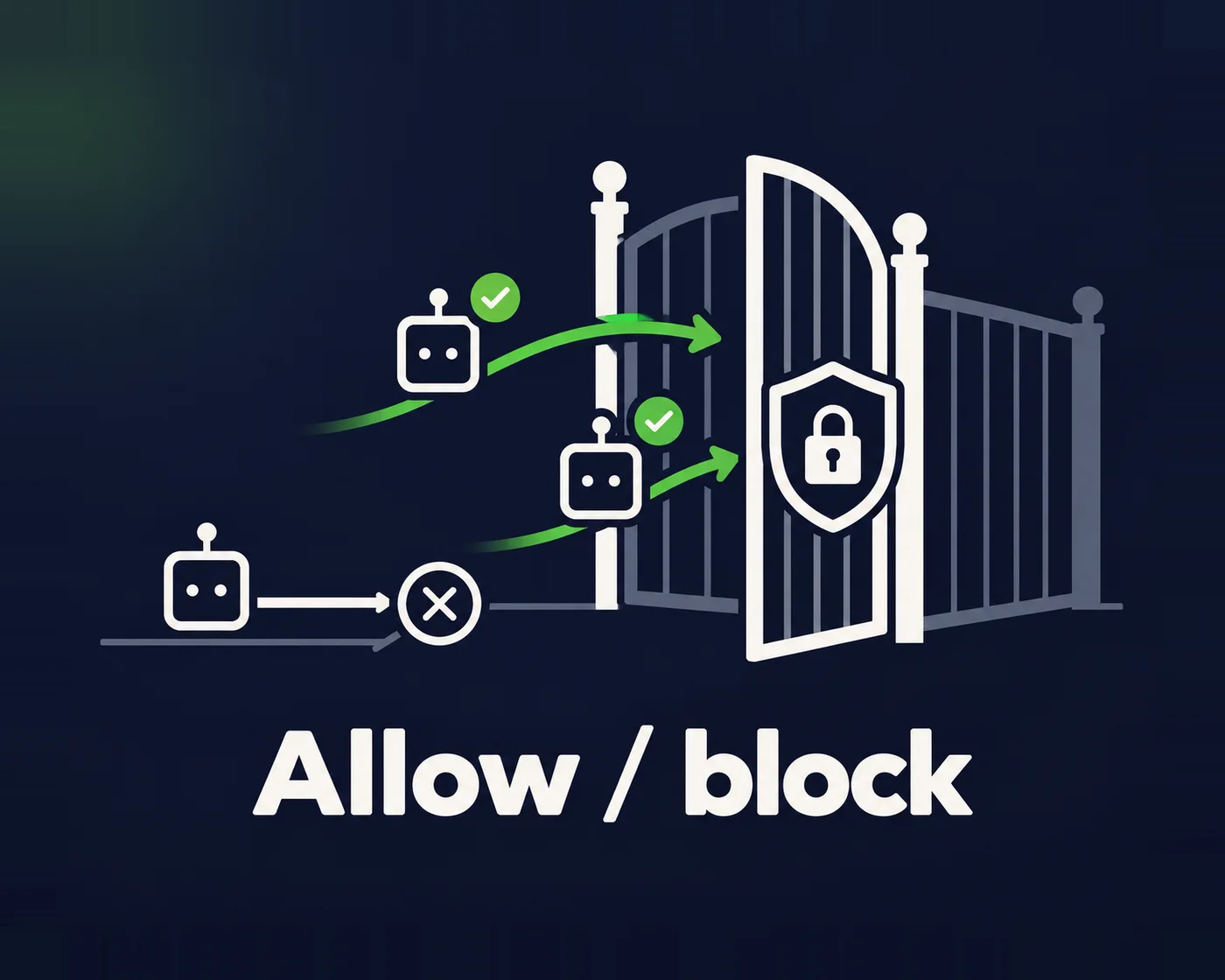
Six areas need attention. Cloudflare’s July 2025 announcement made blocking AI crawlers the default for new domains, not every existing site. Check the policy actually applied. OWASP lists prompt injection as LLM01 and describes ways to reduce its impact, without a foolproof prevention claim. Pages and files an agent reads can carry hostile instructions too.
01
Unplanned bot traffic
Separate search crawlers, training crawlers, user-triggered fetchers and scrapers pretending to be them. A copied user-agent string does not establish identity. Allowing a legitimate search crawler makes retrieval possible; it does not guarantee a citation.
02
Prompt injection
If an AI feature reads what users type, such as a chatbot, a form that summarises enquiries or a reply-drafting tool, a visitor can hide instructions in it.
03
MCP and API exposure
Connecting a site to AI tools through the Model Context Protocol, the REST API or application passwords gives an AI a key. The question is what that key opens.
04
Scraping and load
Aggressive crawlers can slow a site for real customers, and content can be copied at scale. Rate limits and bot challenges are the usual answer.
05
AI-written code
AI writes plugins and fixes quickly, and sometimes confidently wrong: insecure queries, missing permission checks, packages that don’t exist, secrets pasted into code.
06
Plugin supply chain
Every plugin is weight, and every plugin is a door. Vulnerable or abandoned plugins remain one of the main ways into a WordPress site, with or without AI.
How I connect an AI agent to a WordPress site, safely
When you connect Claude Code or another agent to WordPress through the MCP Adapter, the shortcut is obvious: give it an administrator login and let it get on with it. I don’t. The agent gets a narrow set of tools and a low-level account, and then we try to break it before it touches real work. Publishing directly, editing a live post and changing SEO settings should all be refused. Here is the setup, because the proof is in the limits.
One caveat: a WordPress Author can still edit or delete its own published posts through WordPress’s normal routes. So the credential is treated as sensitive, and the tool limits are one layer of several, not the whole fence.
I explain how the same rules carry into a full rebuild on my AI web design page. I also write a crawler policy bot by bot, so search engines, AI search indexes and user-triggered agents are let in on purpose, not by accident.
01
A dedicated author-level user
Not an administrator, because you never connect an AI tool with one. It can’t install plugins, change settings or manage users.
02
Scoped abilities only
A small custom plugin gives it only what the job needs, such as finding posts, reading a post, saving a draft with SEO fields, and publishing a draft a person has approved.
03
No delete, no live edits
The abilities refuse edits to published posts and expose no delete. That limit sits in the tools, not the account.
04
The credential stays outside the repository
Keep application passwords in the approved credential store or local tool configuration, limit access and rotate them. That reduces exposure; it does not prevent leaks through logs, screenshots, backups or copied commands.
05
Scans before every commit
Code and copy in the repository are scanned for leaked keys with gitleaks before they’re committed, and a commit only goes through when the scan passes.
What AI website security covers
My team works through eight areas. Some are a one-off review; the rest run every month inside a care plan.
01
Bot and crawler rules
A written policy for each AI crawler and agent, with firewall and host settings that match, so you block only what you mean to.
02
WAF and rate limiting
A web application firewall, rate limits on forms, logins and search, and bot challenges where abuse shows up.
03
Least-privilege AI access
Dedicated users for every AI tool, the narrowest role that works, scoped abilities or API permissions with no delete, credentials stored outside the code and rotated. We check what the role itself allows, not only what the tool exposes.
04
AI feature review
Chatbots, AI form handling and AI content tools tested for prompt injection and data leakage. Untrusted input is treated as data, never as instructions.
05
AI-written code review
Every AI-assisted change gets the same review, automated checks and staging tests as code written by a person. No AI tool deploys without a person approving.
06
Patching
Routine updates are tested before release. Critical vulnerabilities need a documented emergency route with the host: rapid patching or mitigation, backups, verification and monitoring. Do not let the normal review queue leave a known critical exposure open. Remove or replace abandoned plugins.
07
Monitoring and backups
Uptime, security headers, malware scans and update status watched by the WPO Platform, WP Creative’s AI layer whose product direction I lead, plus off-site backups.
08
Incident response
A written plan for what happens when something goes wrong, including revoking AI credentials straight away and finding how it happened.
What needs checking this week?
As at 26 October 2026, PHP’s own team is urging immediate updates after the 21 October critical security release. Ask your host to confirm the effective PHP build or vendor backport and the follow-up advisory, rather than relying on a WordPress plugin screen. A firewall is an extra layer, not proof the runtime is patched. My PHP2Shell and WordPress explainer links the current technical advisories. This check concerns the server underneath the site, regardless of whether the website itself has AI features.

Incidents my team has handled
A therapy platform
The firewall recorded a short burst of blocked requests. My team reviewed plugin and maintenance status. A blocked-request count is not a count of successful intrusions, and a quiet dashboard is not proof that every risk is covered.
A retailer
Its unstable store needed more control over releases. My team moved its updates through a test and release process before a key trade event. That case does not mean automatic updates are always wrong: supported security updates, monitoring and a recovery plan can be appropriate. The failure is leaving nobody accountable for what changed, or delaying critical fixes indefinitely.
How this relates to WordPress security and care plans
WordPress security
- The job Get a hacked site clean and harden it
- When you need it Something is wrong now, or you’re worried it might be
- Typical work Malware removal, finding the way in, hardening
- How it’s delivered A clean-up, then ongoing care
WordPress care plans
- The job Keep the site updated, secure and improving every month
- When you need it Always, for a website that earns leads or sales
- Typical work Updates, backups, monitoring, development hours
- How it’s delivered A monthly plan
AI website security (this page)
- The job Make AI crawlers, agents, AI features and AI-written code safe
- When you need it When you use AI tools on the site, add AI features, or want AI search access on purpose
- Typical work Bot policy, scoped AI access, prompt injection checks, AI code review
- How it’s delivered A review, then ongoing work inside a care plan
All three are delivered by my team at WP Creative. Hosting matters too: see managed WordPress hosting.
Who this is for, and who it isn’t
Good fit
- Teams connecting AI tools or agents to their website
- Sites adding chatbots or AI form handling
- Marketing teams using AI to publish faster who need guardrails
- Businesses that want AI search crawlers in on purpose
Not a fit
- Anyone wanting a certificate that says “AI secure”
- Sites nobody will update after the review
- Non-website AI systems (we secure the website layer)
Questions about AI website security
Should I block AI crawlers?
Choose access by purpose, not by the word AI. Search, training and user-triggered tools have different controls; OpenAI’s crawler guide documents them separately. Match firewall rules to that policy and verify the provider where possible. Keep rate limits and authentication where needed; a crawler rule is not a complete security control.
Is it safe to connect WordPress to an AI agent through MCP?
It can be, if the agent gets a dedicated low-privilege user, narrowly scoped abilities, no delete, and a person approving anything that goes live. That’s how my team and I connect agents. Never connect an AI tool with an administrator account. More on how sites hand tools to agents in the browser in WebMCP, and on what agents do with your site in the agentic web.
What is prompt injection, and does it affect my website?
Prompt injection is when content an AI reads contains instructions it wrongly follows. AI features processing messages create one exposure; compromised pages, documents or third-party content read by an external agent create another. Limit permissions and data access, validate actions in code and require approval for high-risk changes. OWASP’s guidance treats these as layers of mitigation.
Is AI-written code safe to put on our site?
It is as safe as the review it gets. My team treats AI output as a draft: same code review, same automated checks, same staging tests, a person accountable for what ships. The danger is skipping review because the code looks finished.
Can you guarantee our site won’t be hacked?
No, and be wary of anyone who does. My team reduces the chances, finds problems early and has a plan for when something happens. Prompt injection in particular has no complete fix yet.
What does AI website security cost?
It depends on what AI touches your site and how many sites you run. The ongoing work sits inside a care plan; the review is scoped on a free call, so you’ll know what drives the cost before you commit.
Using AI on your website?
Book a free call. You’ll talk with me or my team about which AI tools touch your site, what they can do today, and what they should be allowed to do. If you’re building AI workflows, see AI automation for how we build them with approval steps from the start.
