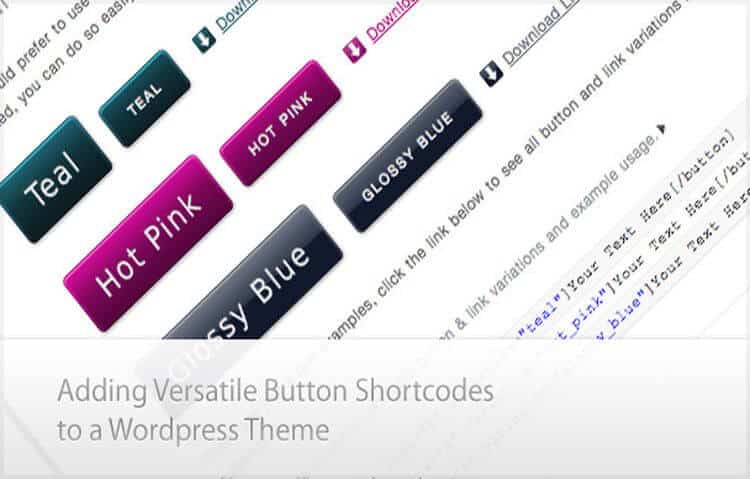
WordPress shortcodes are short tags in square brackets, such as [gallery], that WordPress replaces with dynamic content when a page loads. To add one, use the Shortcode block in the block editor, paste it into the classic editor or a widget, or call do_shortcode() in a theme file.
The short answer
- A shortcode is a macro: you type a tag in content, and a PHP function registered with add_shortcode() decides what appears in its place.
- In theme templates, use echo do_shortcode( ‘[tag]’ ), not the bare tag.
- Every custom shortcode must escape its output, because shortcode attributes are typed by content editors and can carry malicious code.
- Blocks have replaced shortcodes for layout. Shortcodes still earn their place for dynamic output such as forms, feeds and calculators.
What are WordPress shortcodes?
WordPress shortcodes are macros written in square brackets that tell WordPress to run a function and insert its output into a post, page or widget. A form plugin, for example, gives you a shortcode with the form’s ID. WordPress swaps that tag for the working form each time the page is displayed.
Shortcodes arrived in WordPress 2.5. The WordPress Plugin Handbook explains why: running PHP inside post content is forbidden for security reasons, so shortcodes give editors a safe way to add dynamic output. WordPress ships with six built-in shortcodes: [caption], [gallery], [audio], [video], [playlist] and [embed].
Shortcodes come in two shapes. A self-closing shortcode stands alone, such as [gallery ids=”12,15,18″ size=”medium”]. An enclosing shortcode wraps content, such as [highlight]Important text[/highlight]. The words inside the brackets after the tag name are attributes, which pass settings to the function.
How do I add a shortcode in WordPress?
To add a shortcode in WordPress, place it where the content is edited: a Shortcode block in the block editor, plain text in the classic editor, a Shortcode block or Text widget in a widget area, or a do_shortcode() call in a theme file. The location decides the method, but the shortcode text itself stays the same.
| Where | How to add the shortcode | Watch out for |
|---|---|---|
| Block editor | Add a Shortcode block (type /shortcode and press Enter) and paste the shortcode | The editor shows the raw tag, so check the output on the front end |
| Classic editor | Paste the shortcode on its own line in the Visual or Text tab | Copying from a document can turn straight quotes into curly quotes, which breaks attributes |
| Block widget areas | Appearance, then Widgets, then add a Shortcode block | Some themes hide widget areas on mobile |
| Classic Text widget | Paste the shortcode into the widget’s content | Supported in core since WordPress 4.9 |
| Theme or template files | echo do_shortcode( ‘[tag]’ ); | Edit a child theme, not the parent, or the change is lost on update |
In the block editor
The Shortcode block sits in the Widgets section of the block inserter, or you can type /shortcode and press Enter. Paste the shortcode, update the page and preview it. The editor shows the raw tag, so always check the front end. If you are new to blocks, my WordPress block editor tutorial covers the basics.
In widgets
On block-based widget areas, add a Shortcode block exactly as you would in a post. On older themes with classic widgets, the Text widget runs shortcodes directly. WordPress 4.9 added that support, so you no longer need a code filter or plugin to enable it.
In theme files with do_shortcode
Template files are PHP, so a bare [tag] would print as text. Wrap it in do_shortcode() and echo the result:
<?php echo do_shortcode( '[acme_button text="Book a call" url="/contact-us/"]' ); ?>Use this sparingly. If you control the code, calling the underlying PHP function directly is cleaner than parsing a shortcode string on every page load.
How do I create a custom shortcode with add_shortcode?
To create a custom shortcode, write a PHP function that returns HTML, then register it with add_shortcode(), passing the tag name and the function name. Put the code in a small site-specific plugin or a child theme. Use shortcode_atts() to set default attribute values, and escape every value before you return it.
Here is a complete example for a simple button shortcode with escaped output. More complex callbacks also need controls suited to the data and actions they handle. The tag is prefixed (acme_) because, as the add_shortcode() reference warns, if two plugins register the same tag, the one loaded last wins.
function acme_button_shortcode( $atts ) {
	$atts = shortcode_atts(
		array(
			'text' => 'Book a call',
			'url'  => '/contact-us/',
		),
		$atts,
		'acme_button'
	);

	return sprintf(
		'<a class="acme-button" href="%1$s">%2$s</a>',
		esc_url( $atts['url'] ),
		esc_html( $atts['text'] )
	);
}
add_shortcode( 'acme_button', 'acme_button_shortcode' );
An editor can now type [acme_button text=”Get a quote” url=”/quote/”] anywhere shortcodes run, and the page outputs <a class=”acme-button” href=”/quote/”>Get a quote</a>. A shortcode that queries the database, accepts HTML or calls an outside service needs its own checks. For a simple callback like this one, three details reduce common implementation risks:
- It returns, never echoes. The Plugin Handbook’s first shortcode best practice is “Always return”. Shortcodes are filters, and echoing creates side effects such as output appearing in the wrong place.
- It sets defaults. shortcode_atts() fills in any attribute the editor leaves out and ignores attributes the function does not expect.
- It escapes output. esc_url() cleans the link and esc_html() cleans the text before either reaches the browser.
Put custom shortcodes in a small site-specific plugin rather than the theme’s functions.php file. If the theme changes, theme-based shortcodes stop working and every page that uses them shows the raw [tag] as plain text.
Why must shortcode output be escaped?
Shortcode output must be escaped because shortcode attributes come from whoever edits the content, and WordPress prints whatever the function returns. An unescaped attribute lets someone with editing access inject a script that runs for every visitor. Escaping with esc_html(), esc_attr() or esc_url() turns that input into harmless text before it reaches the page.
This is the most common class of WordPress vulnerability, not a theoretical one. Patchstack’s State of WordPress Security in 2025 report named cross-site scripting the most widespread vulnerability type, making up almost half of all new entries in 2024. Its 2026 report found that 91% of new WordPress vulnerabilities in 2025 were in plugins, which is where most shortcodes live.
The WordPress escaping guide sets the rule: escape late, at the moment of output, with the function that matches the context. Use esc_html() for text, esc_attr() for HTML attributes, esc_url() for links, and wp_kses_post() when you deliberately allow limited HTML. For the wider picture, see my WordPress security tips.
Which WordPress shortcode plugins are still worth using?
The WordPress shortcode plugins still worth using in 2026 are Shortcodes Ultimate for ready-made content elements, Shortcoder for reusable snippets, and a code snippet manager such as WPCode or Code Snippets for your own add_shortcode() functions. All of them were updated in 2026. Several older shortcode plugins have been closed or abandoned.
How I chose these. I checked the seven plugins named in an older post on this site, plus two widely used snippet managers, on WordPress.org on 19 October 2026. I kept plugins that were updated in 2026 and still do a job blocks cannot.
- Shortcodes Ultimate: 400,000+ active installs. Tabs, accordions, buttons, sliders, columns and boxes as shortcodes.
- Shortcoder: 100,000+ active installs. Wraps HTML, JavaScript or snippets you reuse, such as an embed code, into your own shortcode.
- WPCode and Code Snippets: 3+ million and 1+ million active installs respectively. Both store PHP snippets, including add_shortcode() functions, outside the theme.
- Shortcode in Menus: lets shortcodes run inside navigation menus, which core does not support. Its directory record shows a February 2026 update; check the current compatibility fields and test the menu output before use.
The official directory confirms that Fruitful Shortcodes closed on 8 March 2021 for a guideline violation and WP Shortcode by MyThemeShop closed on 10 August 2026 for a security issue (read 26 October 2026). The old GT ShortCodes address now resolves to search results; that does not establish its maintenance status. I have not established the current maintenance position of the separately sold Intense or Supreme products. Before changing an inherited plugin, inventory its tags and reproduce the output on staging. Replace unsupported dependencies without leaving visible shortcode text behind. My guide to plugin selection explains how to avoid overlapping components.
What should you do with shortcodes inherited from a previous developer?
Inherited shortcodes should be inventoried before anything else changes. List every shortcode used in content, find where each one is registered, and check its output is escaped. Then move theme-based shortcodes into a site plugin, so a redesign or theme update cannot break pages that depend on them.
Custom shortcodes are the part of an inherited site that rarely gets written down, and the real risk is the handover, not the code. A specialist retailer once came to my team with a site a previous developer had built: a custom theme, custom plugins and custom shortcodes running through the content. Before changing anything, my team reviewed the build and wrote a detailed performance brief, then stayed on for ongoing support. The order matters. Remove or rename a shortcode without knowing where it is used, and live pages show raw brackets to customers.
- Search the database for each tag in post content, widgets and theme settings.
- Search the theme and plugins for add_shortcode( to find where each tag is registered.
- Review each callback for escaped output and returned, not echoed, HTML.
- Move theme-registered shortcodes into a site-specific plugin.
- Replace layout shortcodes with blocks over time, and keep shortcodes for dynamic output.
What to do next
- Use the Shortcode block for any shortcode in new content.
- Check every custom shortcode on your site escapes its output and returns rather than echoes.
- Move shortcodes out of the theme and into a site plugin or snippet manager.
- Remove closed or abandoned shortcode plugins, replacing their output with blocks.
- If you have inherited a custom site and want a second opinion on it, book a free call with me and my team.
Frequently asked questions
Why is my shortcode showing as plain text?
A shortcode shows as plain text when WordPress does not recognise the tag. Usually the plugin or theme that registered it is deactivated, the tag is misspelled, or the shortcode sits in a theme file without do_shortcode(). Curly quotes pasted from a document can also break attributes. Check the plugin first, then the spelling.
Are shortcodes still used with the block editor?
Yes. The block editor includes a dedicated Shortcode block, and many plugins still provide shortcodes for forms, feeds and other dynamic output, often alongside their own blocks. For layout elements such as columns, buttons and tabs, native blocks are now the better choice because editors can see the result while they work.
Where should I put the code for a custom shortcode?
Put custom shortcode code in a small site-specific plugin or a snippet manager such as WPCode or Code Snippets. A child theme’s functions.php works too, but the shortcode then disappears if the theme changes. Never edit a parent theme directly, because the next theme update will overwrite your code.
Can I use a shortcode inside another shortcode?
Yes, with an enclosing shortcode, as long as the outer shortcode’s function passes its content through do_shortcode() before returning it. If the outer function returns the content untouched, the inner shortcode prints as plain text. Avoid nesting the same tag inside itself, because the shortcode parser does not handle that reliably.
Do shortcodes slow down WordPress?
A well-written shortcode adds very little load. Slowdowns come from what the function does, such as remote API calls, heavy database queries or scripts loaded on every page whether the shortcode is used or not. Cache expensive output and load assets only on pages that contain the shortcode.