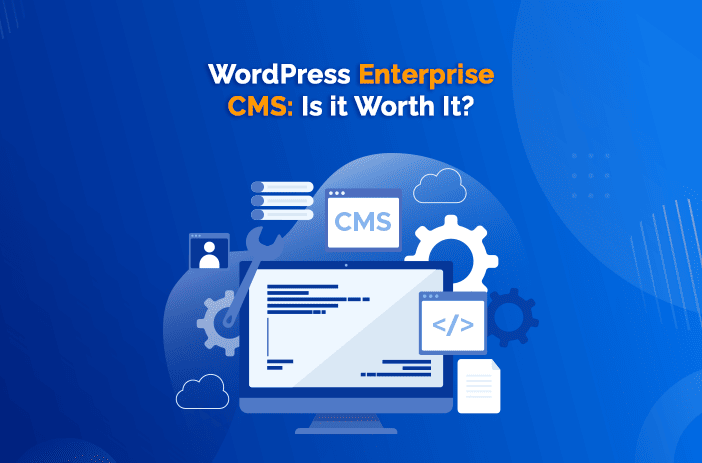
Enterprise WordPress means selecting and governing WordPress around an organisation’s publishing, security, integration and operational needs. It can include managed hosting, reviewed code/plugins, editorial approvals, SSO and a controlled release process. Whether it fits depends on the required workflows and evidence, not the size of the organisation alone.
The short answer
WordPress is a credible enterprise CMS in 2026. It runs roughly two in five websites, according to W3Techs, and enterprise platforms such as WordPress VIP host large publishers and organisations on infrastructure with independently audited controls. Its strengths are editor experience, a huge developer pool and integration choice. Its risks are plugin sprawl and weak governance. Enterprise WordPress succeeds when it is treated as a platform with standards, not a quick website.
I founded WP Creative, which works with large Australian organisations on WordPress, including in government, education and financial services. The enterprise projects that go well all share one thing: someone owns the platform’s standards, from which plugins are allowed to how changes reach production.
Process was a material issue in our work with Sunwater, a government-owned Queensland water supplier: changes finished in test were not reliably reaching the live site. The first month focused on the deployment route, previously closed issues and the organisation’s approval process. During a heavy wet season the site remained a public reference point for dam levels and alerts. That is an example of governance work, not evidence that software is never the cause of an enterprise failure.
What is enterprise WordPress?
Enterprise WordPress is WordPress deployed with the infrastructure, governance and integrations a large organisation needs. That usually means managed hosting with high availability and security certifications, a controlled list of plugins, code review and automated deployment, editorial roles and approval workflows, single sign-on, and connections to CRM, marketing automation and analytics. The software is the same WordPress. The discipline is different.
Is WordPress good for enterprise websites?
Assess WordPress for content-led publishing, marketing and integrated workflows. Evaluate the actual editor experience, access model, integrations, procurement controls and whole-life cost. Core is GPL software; enterprise hosting, extensions and implementation can still carry licence or subscription fees. Deep personalisation or transactional requirements may call for additional services or a different architecture.
| Strength | Why it matters to an enterprise | Watch-out |
|---|---|---|
| Editor experience | Marketing teams publish without waiting on developers | Needs a designed block library, not free-for-all editing |
| Developer and agency pool | Easier to hire, switch suppliers and avoid lock-in | Quality varies, so set code standards |
| Integrations | HubSpot, Salesforce, Marketo, analytics and SSO are well supported | Each plugin is a dependency to maintain |
| No core WordPress licence fee | Budget still includes implementation, extensions, hosting, support and other subscriptions | Enterprise hosting and support still cost real money |
| Security at scale | Managed enterprise hosts publish independent SOC 2 audit reports, and some hold government authorisations | A host’s audit covers its platform, not your plugins or code |
Caption: WordPress as an enterprise CMS: strengths and watch-outs. My assessment from enterprise WordPress work at WP Creative.
Which large organisations use WordPress?
WordPress VIP publishes customer cases for enterprise organisations. Those cases can help you ask about similar workloads and governance, but a customer logo or a vendor-reported count does not prove your architecture, procurement or performance requirements are met. Request evidence for the actual proposed service.
WordPress VIP’s current security page reports annual SOC 2 Type 2 audits and FedRAMP Moderate authorisation; its FAQ scopes the latter to the VIP platform and excludes Parse.ly. These are vendor-published statements, not reports inspected in this review. Request the current documents, service boundary and shared responsibilities. US authorisation does not establish Australian data residency, IRAP status or compliance for your own code, plugins and data flows. My hosting comparison covers location questions.
What are the risks of WordPress for enterprise?
Review dependencies, code quality, access and recovery as a system. Patchstack reports 91% of 2025 WordPress vulnerability disclosures in plugins, but disclosure counts are not attack probabilities or a score for your installation. An approved list and tests help; a plugin count by itself does not measure security.
- Plugin sprawl. Keep an approved list and remove anything unused. Patchstack’s 2026 report recorded 11,334 new WordPress vulnerabilities in 2025, 91% in plugins.
- Update management. Test core and plugin updates on staging, deploy through a pipeline, and keep a rollback plan.
- Editor freedom. Give editors a designed set of blocks and patterns so brand and accessibility standards hold.
- Supplier dependence. Keep code in your own repository and documentation in your own systems.
My guide to WordPress management covers who should own each of these jobs.
When is WordPress not the right enterprise CMS?
Separate the content workflow from transactional, identity and personalisation requirements. WordPress can integrate with applications and other services; that does not mean every banking portal or booking workflow should be built into it. Compare security boundaries, failure recovery, performance, editorial needs and ongoing support before choosing a CMS, DXP or custom architecture.
A common middle path is headless WordPress: WordPress manages the content and a separate front end renders it. It adds complexity, so choose it for a clear reason, such as sharing content across several apps, not because it sounds modern.
How is AI changing enterprise WordPress?
Inside the CMS, the core Abilities API and a separately configured MCP Adapter can support selected credentialed tasks. Permissions and review depend on the implementation. Outside the CMS, retrieval and browser agents have different access paths. Accurate public content and usable journeys matter, but connecting a back-office adapter does not make the public site universally agent-ready.
The governance enterprises already apply to developers now has to apply to AI agents as well. Give agents read-only access first, log every action, and keep a human approval step for anything that publishes. I build and test agent workflows every day, on WP Creative’s own platform and internal tools and in client work, and we hold ourselves to the same rule: my team runs Claude Code with real guardrails and a set project structure, and we are working toward ISO 27001 certification.
What to do next
- List the features your current platform provides that you actually use.
- Decide which must be in the CMS and which can be integrations.
- Choose managed hosting that meets your security and compliance requirements.
- Set platform standards: approved plugins, code review, staging and deployment.
- If you are moving from another enterprise CMS, read my Sitecore to WordPress migration guide, or book a free call with my team for a second opinion.
Frequently asked questions
Is WordPress secure enough for enterprise?
Enterprise suitability depends on the complete implementation and operation. Inspect access, dependencies, timely patching, monitored releases, recovery and incident response. Core or plugin disclosure totals do not establish comparative risk. A host’s audited controls also do not certify your application and content.
What is WordPress VIP?
WordPress VIP is the enterprise WordPress hosting and support platform from Automattic, the company behind WordPress.com. It offers high-scale managed hosting, code review, annual SOC 2 Type 2 audits, a FedRAMP Moderate authorisation for its platform, and enterprise support. It is one of several enterprise WordPress hosting options.
Can WordPress handle high traffic?
WordPress can serve high-traffic publishing workloads with an architecture designed and tested for them. Cacheable pages, personalised journeys, integrations and editorial operations have different limits. Profile the actual application and dependencies, then load-test representative traffic and recovery; a platform name or host tier alone is not a capacity guarantee.
Is WordPress cheaper than Sitecore or Adobe Experience Manager?
Core WordPress has no licence fee, but compare whole-life costs for the actual workflows: hosting, extensions, integration, migration, training, governance and support. A faster editing workflow may save time if the build and permissions support it. Neither a free core nor a broad supplier ecosystem proves it will cost less than Sitecore or Adobe Experience Manager for every organisation.
What is headless WordPress?
Headless WordPress uses WordPress only to manage content, while a separate front end, often built with a JavaScript framework, displays it. It suits organisations sharing content across websites, apps and other channels. It adds cost and complexity, so it is worth it only when that flexibility is genuinely needed.